Install devtools in R
devtools is a package that provides R functions to simplify many common tasks. It is commonly used to install packages from GitHub and other sources.
Important: Installing devtools is memory-intensive and installs many dependencies.
Installation Location
By default, packages install to $HOME/R/x86_64-pc-linux-gnu-library/<R_version>. This is a local installation specific to your Carina environment. If you are prompted to create this Personal Library folder, allow it.
Choose Your Installation Method
Method 1: Carina OnDemand (Recommended for most users)
This web-based method is the easiest approach.
-
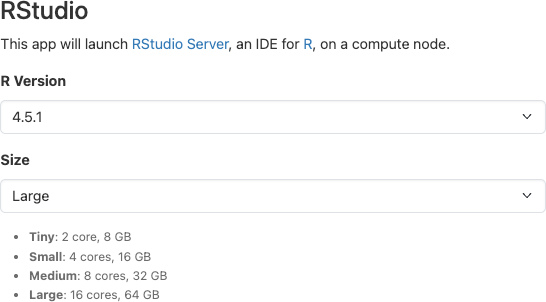
Start an RStudio session
-
Choose the Large size for sufficient memory
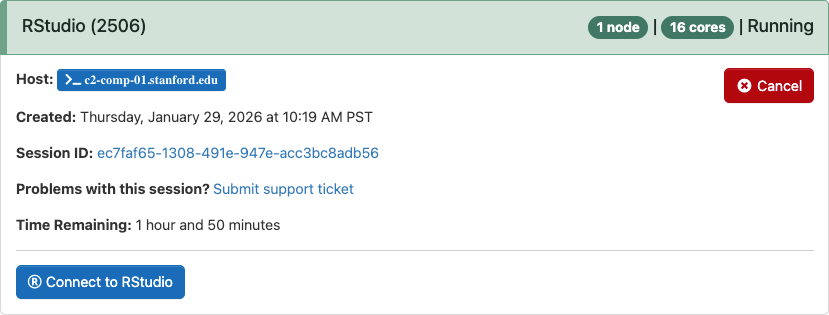
- Connect to your session from My Interactive Sessions
-
In the RStudio Console, set the CRAN mirror, then install:
 options(repos = "https://cloud.r-project.org")
 install.packages("devtools")
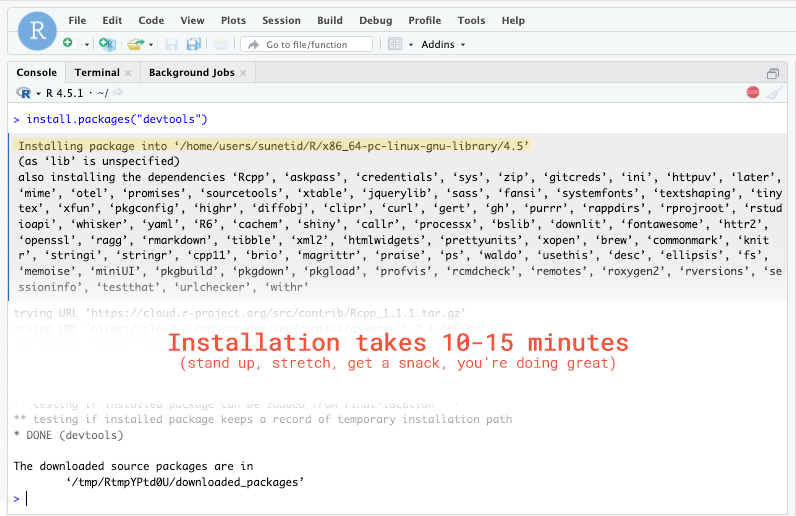
- Wait for the installation to complete (this may take several minutes)
Method 2: Command Line
This method gives you more control over resource allocation.
-
Connect to Carina via SSH
-
Request compute resources via Slurm’s srun command (cannot run on login nodes):
srun -p normal -n 1 --cpus-per-task=8 --pty bashThis requests one node with 8 CPUs on the normal partition.
-
When you are on a computing node, load the R module. Note that R is an exception to the “all module names are lowercase” rule, and must be loaded with an uppercase R.
Load the default version:
module load Rorml R(module load and ml are interchangeable)Load a different version:
ml R/4.4.3 -
Start R:
R -
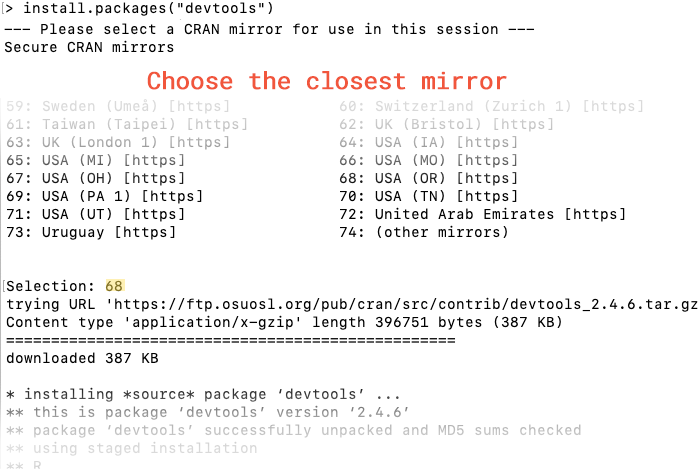
Set the CRAN mirror, then install devtools:
 options(repos = "https://cloud.r-project.org")
 install.packages("devtools")
If prompted, approve creating the Personal Library.
Verify Installation
After installation completes, load the library to verify:
library(devtools)
If successful, you should see no errors. You can also check the version:
packageVersion("devtools")
Available R Versions
These R versions are available in Carina OnDemand and via module load:
- R/4.3.3
- R/4.4.3
- R/4.5.1 (current default)
To use a specific version in OnDemand, select it in the session launch form. For command line, specify the version when loading the module, for example ml R/4.4.3.
Next Steps
With devtools installed, you can:
- Install packages from GitHub:
devtools::install_github("username/repo") - Install from local sources
- Access development tools for creating your own packages
See the devtools documentation for full functionality.