The Carina OnDemand App Toolbox
Carina OnDemand provides a suite of popular tools for research and development.
Server-Based Apps
These apps run directly on a compute node. Want to use Claude Code alongside one of them? See Using Claude Code with OnDemand Apps.

JupyterLab
A flexible and powerful environment for interactive computing.

MATLAB
Run the complete MATLAB graphical environment for intensive numerical computing and algorithm development.

RStudio
The full, familiar RStudio IDE, running on the cluster's high-performance hardware.

Visual Studio Code
A full-featured code editor right in your browser. Connect to a powerful backend with access to your files and a built-in terminal.
Carina Desktop
Your own remote Linux desktop! This option gives you a full graphical environment where you can run almost any installed Linux application.
The Carina Desktop unlocks access to powerful software that requires a graphical interface. Once your desktop session is running, you can launch these tools directly from a terminal window or the Applications menu.
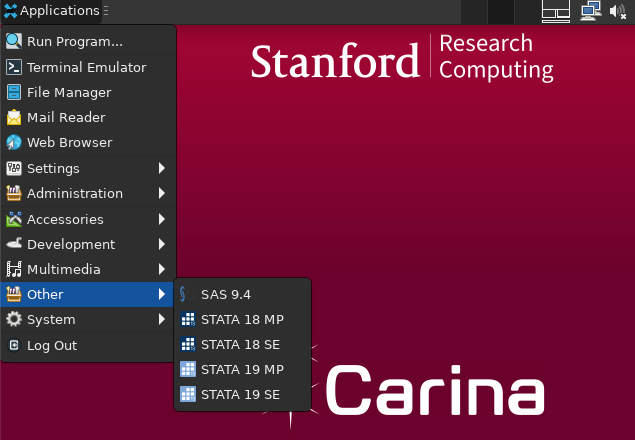

Carina Desktop
A full xfce desktop environment for running applications and managing files.

SAS on Carina Desktop
Seamlessly run the SAS statistical software suite for large-scale data analysis and business intelligence. The NoVNC desktop is perfect for using the classic SAS Display Manager GUI.

Stata on Carina Desktop
Access the full graphical version of Stata for powerful data analysis, especially in econometrics, social sciences, and biostatistics.
License Required: A valid Stata license is required to use this software. Contact us at srcc-support@stanford.edu to provide proof of your license.